

Audit log
The Audit log answers “who changed what, and when?” for sensitive actions in the organization. Only the Owner and Admins can open it; other roles see a notice that their role doesn’t allow this.
What’s on the page
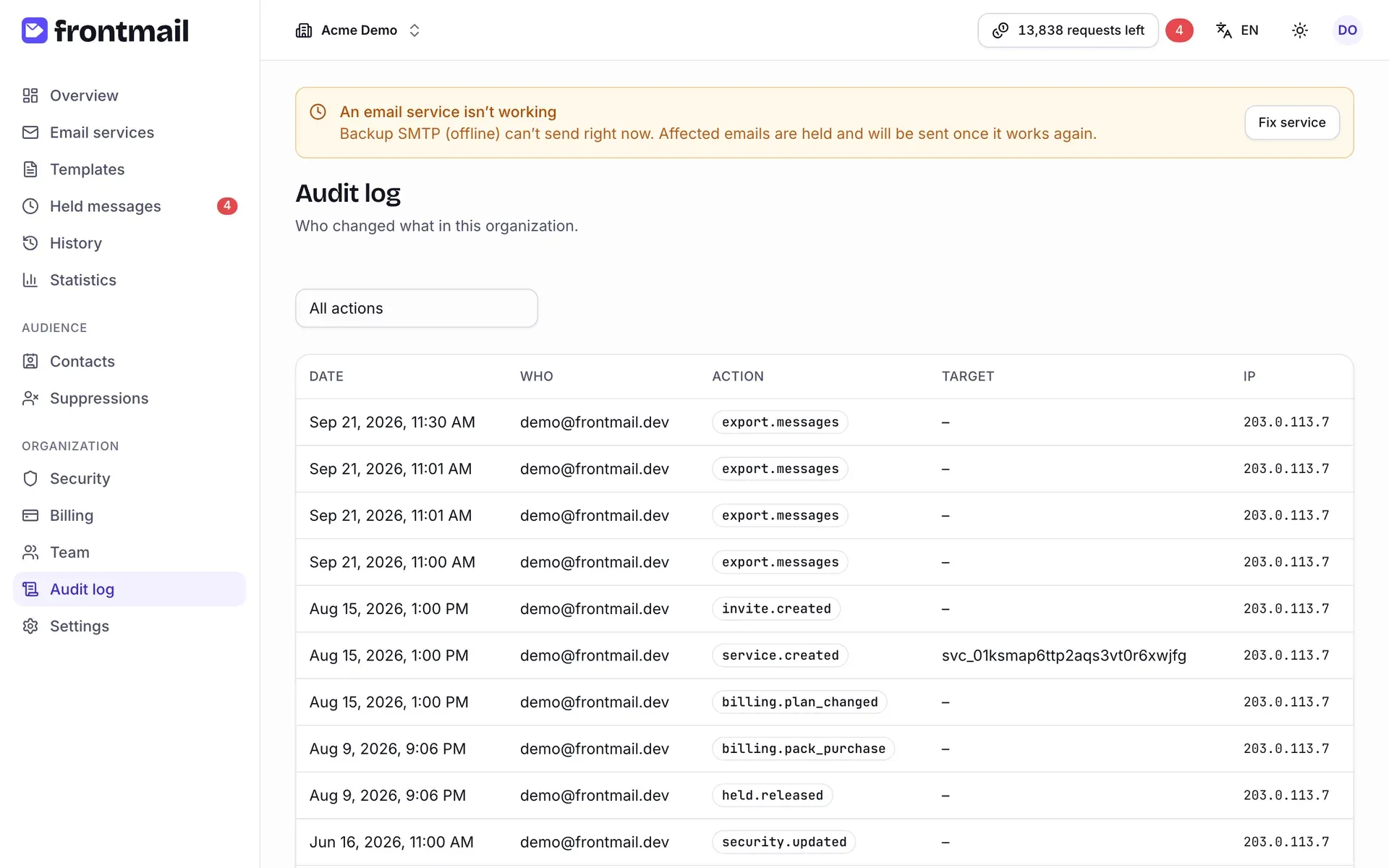
Section titled “What’s on the page”Entries are listed newest first. Use Load more at the bottom to see older ones.
| Column | Meaning |
|---|---|
| Date | When the action happened, in your time zone. |
| Who | The email of the member who did it. Automatic actions without a signed-in user show system. |
| Action | The action code, e.g. key.private.created – see the table below. |
| Target | The affected object, e.g. a key, service, member or email address, or – if there is none. |
| IP | The IP address the action came from (hidden on narrow screens). |
Secrets such as keys or service credentials are never written to the log. Entries are kept for the whole lifetime of the organization.
What’s recorded
Section titled “What’s recorded”| Area | Actions |
|---|---|
| Organization | org.created, org.updated (name, time zone), org.deletion_scheduled |
| Keys | key.public.rotated, key.private.created, key.private.revoked |
| Security | security.updated – any save on the Security page |
| Team | member.joined, member.role_changed, member.removed, member.left, invite.created, invite.revoked, ownership.transferred |
| Services | service.created, service.updated, service.deleted, service.connected (OAuth), service.recovered |
| Templates | template.deleted |
| Messages | held.released, held.discarded, message.resent |
| Audience | suppression.added, suppression.removed, contact.deleted |
| Exports | export.messages (history CSV), export.contacts, export.template |
| Billing | billing.checkout_started, billing.plan_changed, billing.canceled, billing.resumed, billing.pack_purchase, billing.auto_topup_updated, billing.credit_policy_updated, billing.details_updated, and system entries billing.dispute_created, billing.dispute_closed, billing.refund_credits_revoked, billing.subscription_refunded, billing.plan_change_carry_over, billing.upgrade_without_paid_period |
| Frontmail support | admin.grant (bonus credits), admin.refund, admin.suspend, admin.unsuspend |
How to filter the log
Section titled “How to filter the log”Open the dropdown above the table (it shows All actions by default) and choose a group, for
example billing.* or member.*. The table then shows only actions starting with that prefix.
Choose All actions to see everything again.
The dropdown offers the groups org.*, key.*, security.*, member.*, invite.*,
service.*, template.*, held.*, message.*, billing.* and admin.*. Suppression, contact,
export and ownership-transfer entries are visible under All actions.
For background on what the log is for, see Audit log in the security section.